



If you’ve done any web testing, you already know Selenium. It’s been the backbone of browser automation for over a decade, being the tool that lets you write scripts that click buttons, fill forms, and verify that your app actually works, without a human doing it manually every time.
The global Selenium market is on a steady upward trajectory. Valued at around $500 million in 2025, it’s expected to grow at a 7% CAGR through 2033, putting it on track to hit roughly $850 million.
Selenium 4 isn’t a cosmetic upgrade. It’s a meaningful evolution that touches how tests communicate with browsers, how you locate elements on a page, how you run tests at scale, and how deeply your tests can inspect what’s happening under the hood. In 2026, it’s the version teams are actively building on, and for good reason.
Let’s get into what’s actually changed and why it matters.
The W3C WebDriver Standard: More Stable Than It Sounds
Selenium 4 fully adopted the W3C WebDriver standard, retiring the older JSON Wire Protocol that previous versions relied on. This is one of those changes that doesn’t sound exciting until you feel the difference.
The JSON Wire Protocol was Selenium’s own proprietary format for communicating between test code and browsers. It worked, but browser vendors implemented it inconsistently, which led to subtle failures that only appeared in certain browsers. The W3C WebDriver spec is now an official Internet standard, meaning Chrome, Firefox, Edge, and Safari, all implement it natively and consistently.
In practice, this means fewer flaky tests caused by browser inconsistencies, more predictable behaviour when you run the same test across different browsers, and better long-term support from browser vendors who are now invested in the standard. For anyone who’s spent hours debugging a test that only fails on Firefox, this is genuinely welcome news.
Relative Locators: Writing Tests That Survive UI Changes
Every Quality Engineering Services professional knows the frustration: you write a perfectly good Selenium test, a developer refactors the frontend, and suddenly half your locators are broken not because the feature stopped working, but because a class name changed or a div got restructured.
Selenium 4’s Relative Locators address this directly. Instead of pinning your test to a specific attribute like a CSS class or XPath expression, you can locate elements based on their visual position relative to other elements on the page.
The idea is intuitive, you describe elements the way a human would:
- “The button adjacent to the email field”
- “The label above the password input”
- “The error message near the submit button”
Even if the button’s class name or ID changes in the next sprint, your test still holds because the spatial relationship on the page hasn’t changed. For teams maintaining large test suites, this kind of resilience cuts down maintenance time considerably. Supported directions include above(), below(), toLeftOf(), toRightOf(), and near().
The Redesigned Selenium Grid: Built for the Cloud
The original Selenium Grid was designed for a world of physical test machines sitting in a server room. It did the job, but it wasn’t built for containers, auto-scaling, or cloud-native infrastructure. Selenium 4’s Grid is.
The new Grid ships with three deployment modes:
Standalone – Everything runs in a single process. Great for local development, CI pipelines on smaller projects, or anyone just getting started with distributed testing.
Hub-Node – The familiar hub-and-spoke model, now updated and more stable. A central hub manages a set of nodes, each running tests in specific browsers.
Fully Distributed – Each component (Router, Distributor, Session Map, Node) runs as a separate service. This is the mode designed for scale; each piece can be deployed, monitored, and scaled independently on cloud infrastructure or Kubernetes.
Beyond the architecture, there are two practical additions worth noting. First, the Grid now includes a built-in web dashboard that shows live test sessions, browser availability, and queue status, so no more guessing why tests are stuck waiting. Second, a GraphQL API lets you query Grid state programmatically, which is handy for integrating Grid health into your CI monitoring.
Official Docker images are actively maintained, and Kubernetes-based Grid deployments have become a standard pattern for teams running large parallel test suites.
Chrome DevTools Protocol: Deep Browser Access from Your Tests
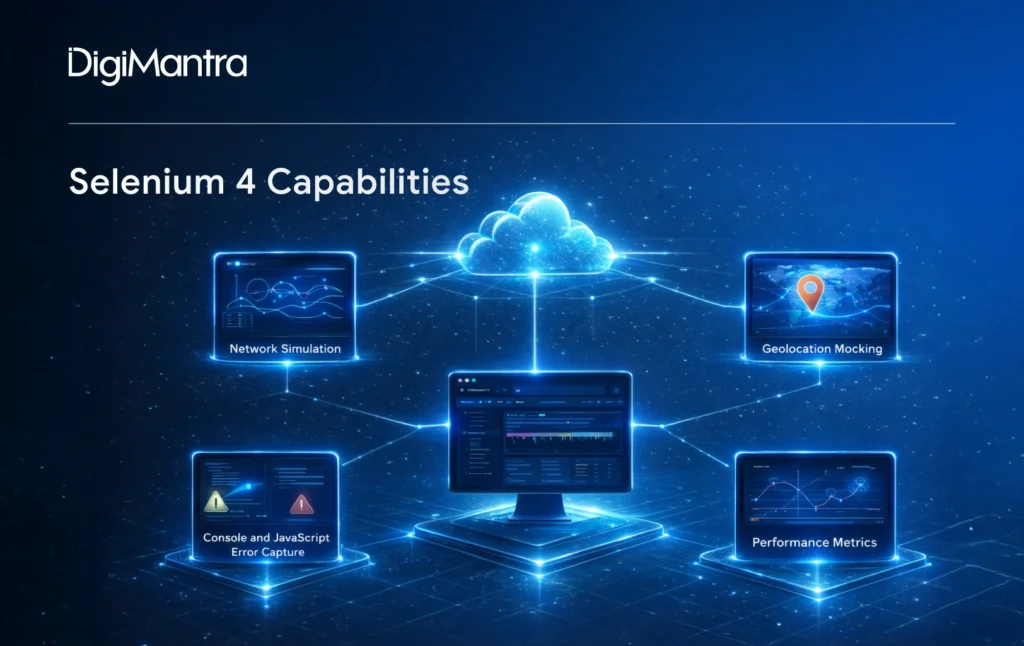
This is the feature that expands what Selenium tests can actually do. Selenium 4 introduces native integration with the Chrome DevTools Protocol (CDP), which is the same protocol that powers the browser’s built-in developer tools.
What does that unlock? Capabilities that used to require separate tools or custom browser extensions:
Network simulation – Limit bandwidth, introduce latency, or block specific requests entirely. Testing how your app degrades on a slow connection no longer requires a separate proxy tool.
Geolocation mocking – Override the browser’s reported location. If your app serves different content based on geography, you can test all of it from one machine.
Console and JavaScript error capture – Pull browser-side errors directly into your test assertions. The “test passed but there were JS errors in the console” problem is now solvable in the test itself.
Performance metrics – Access page load timings, DOM event data, and rendering metrics from within your test.
Before Selenium 4, setting up something like this meant pulling in BrowserMob Proxy or writing browser extensions. Now it’s a handful of lines in your existing test file. This doesn’t just add convenience; it opens up a whole category of tests (resilience testing, performance-aware testing) that were previously impractical to include in a standard Selenium suite.
BiDi: Real-Time Communication with the Browser
Standard Selenium communication is request-response: your test sends a command, the browser executes it, and you get a result. Clean and simple, but it has limits, particularly when you’re testing applications where things happen asynchronously.
BiDi (Bidirectional Communication) introduces a persistent, two-way channel between your test code and the browser. Rather than polling for changes, the browser can push events to your test as they happen, such as console messages, JavaScript exceptions, DOM mutations, and network events.
This matters most for modern, event-driven applications: real-time dashboards, collaborative tools, WebSocket-based features. With traditional Selenium, testing these reliably means writing awkward polling loops and timing-dependent waits. With BiDi, you subscribe to events and react when they fire.
The BiDi API is still maturing, but it’s already part of the W3C WebDriver specification, so it’s not a temporary feature. It’s the direction browser automation is heading. Teams already leaning on it, for complex async testing scenarios, are finding it significantly cleaner than the workarounds it replaces.
Selenium Manager: Automatic Driver Setup
This is a smaller feature with an outsized impact on developer experience, especially for anyone who’s recently set up a new Selenium project.
Selenium has always needed a driver binary to communicate with each browser, such as ChromeDriver for Chrome, GeckoDriver for Firefox, and so on. Historically, this meant manually downloading the right version, matching it to your installed browser version, and updating it every time Chrome silently auto-updated. It was a constant source of broken CI pipelines and confused beginners.
Selenium Manager, added in version 4.6, handles all of this automatically. It detects your browser version, fetches the compatible driver, and manages it transparently. You no longer need WebDriverManager as a separate dependency or manual driver setup in your project. It just works.
Better Documentation – Actually Worth Mentioning
Documentation improvements rarely get included in feature summaries, but the Selenium 4 docs are a genuine step up and worth calling out.
The official docs were fully rewritten and reorganised around what you’re trying to do rather than around the API structure. Every major example is available side-by-side in Java, Python, JavaScript, Ruby, C#, and Kotlin. The upgrade guide from Selenium 3 clearly flags breaking changes and explains the migration patterns.
For teams onboarding new automation engineers or revisiting the docs after time away, this quality of life improvement translates into real time saved.
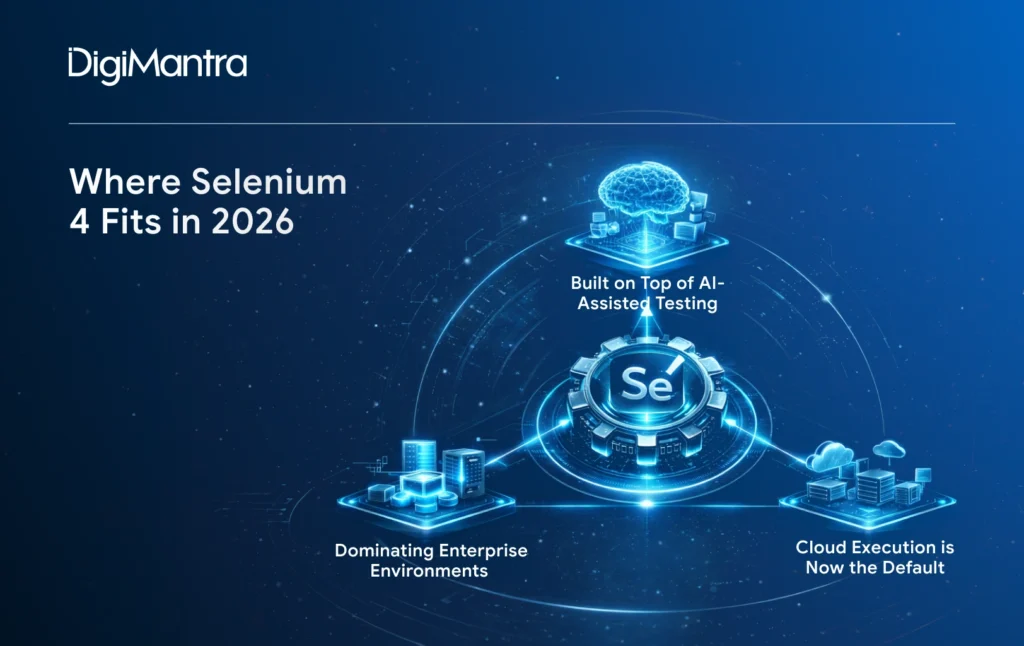
Where Selenium 4 Fits in 2026
Features aside, where does Selenium actually stand in today’s testing landscape?
- AI-assisted testing hasn’t displaced Selenium; it’s built on top of it. Tools that use AI to generate, repair, or optimise locators are increasingly being layered on top of Selenium 4. The stable W3C API makes it a reliable foundation for these higher-level tools in a way the old protocol wasn’t.
- Cloud execution is now the default. Most teams running serious test suites are using BrowserStack, LambdaTest, Sauce Labs, or self-hosted Grid on Kubernetes rather than local machines. Selenium 4’s Grid architecture was designed with exactly this in mind.
- Playwright and Cypress are real competitors, but Selenium still dominates enterprise environments. The conversation about “which tool wins” persists year after year. On the ground, Selenium’s staying power comes from three things: the enormous investment organisations have in present test suites, its deep alignment with Java and C# enterprise stacks, and its cross-browser coverage (particularly Safari), that the newer frameworks still handle less reliably in production.
Many teams run a hybrid: Selenium for their core regression suite and broader browser matrix, Playwright or Cypress for faster developer-written tests.
Migrating from Selenium 3: What to Expect
If you’re still running Selenium 3, the migration is more approachable than you might expect. The most common code changes involve browser configuration, as Selenium 4 replaces the old DesiredCapabilities approach with dedicated Options classes:
Most functional test code migrates with minimal changes. The Selenium project publishes a detailed upgrade guide that clearly identifies deprecations and the new patterns replacing them. It’s worth reading before you start rather than discovering breaking changes mid-migration.
One note: The Relative Locator syntax changed between early 4.x releases, so if you’re referencing older blog posts or Stack Overflow answers, double-check against the current documentation.
The Bottom Line
Selenium 4 in 2026 is a mature, well-supported automation framework that has meaningfully modernised without abandoning what made it reliable in the first place. The W3C standard compliance reduces cross-browser friction. CDP integration expands what tests can verify. The redesigned Grid fits how engineering teams actually run infrastructure today, and Selenium Manager removes one of the most common friction points for anyone starting out.
It’s not without trade-offs, as browser-based test automation still requires thoughtful design to avoid brittle, hard-to-maintain suites. But the tools available in Selenium 4 to address those challenges are better than they’ve been at any point in the framework’s history. Whether you’re starting fresh or migrating an existing suite, the investment pays off.
Thinking about migrating from Selenium 3, or evaluating Selenium 4 against other frameworks? Contact our experts, we’re happy to guide you in the right direction!

AI-FIRST ENGINEERING FOR MODERN BUSINESSES
Designed for performance. Powered by innovation.
 Product Development
- Custom Software
 Mobile & Web
- AI & Automation
- Cloud Management
- Intelligent Systems